
DynID is the integrated logon credentials that allows customers to: (1) access both Managed DNS and Email with one logon, (2) create and manage their own support tickets, (3) reset passwords online, and (4) manage credit cards for billing.
In addition to a single DynID, Dyn accounts still benefit from a 2-Factor Authentication process for increased account security.
Use the following steps to properly unlink your product(s) from the DynID portal.
| 1. Open the navigation menu, and then select DynID Products. | 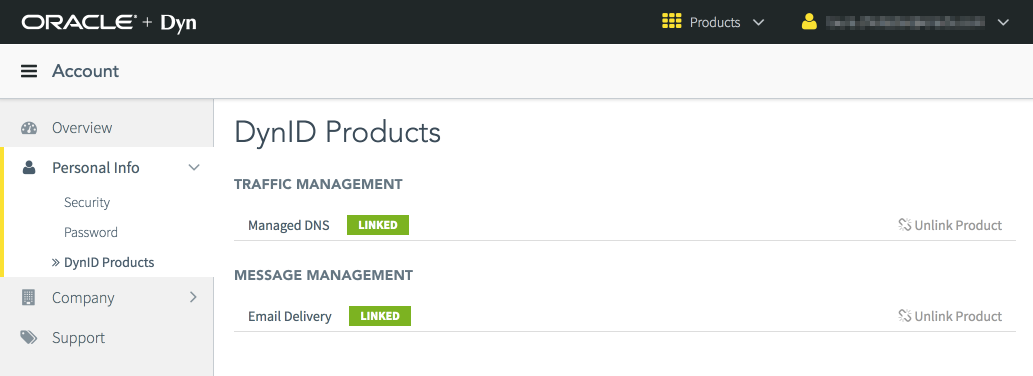 |
| 2. Click Unlink Product for the product you want to unlink. |  |
| 3. Click Yes, I'm sure to confirm that you want to unlink the product. | 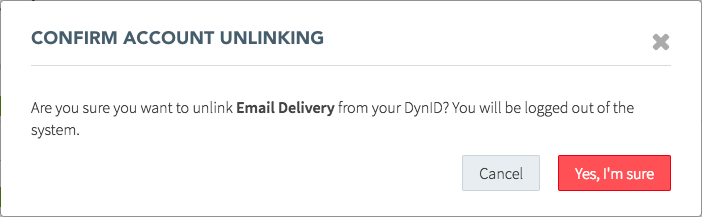 |
| You have successfully unlinked your product. |